
I Migrated from Etsy to Shopify and It Was Painful
Maybe you hate Etsy now but you'd rather squirt lemon juice in your eye than change platforms because you think it's going to suck… I got you!

➡️ IMPORTANT NOTE - PLEASE READ!
I’ve added a new section to Manual Transmission specifically to talk about the apps I use for creating my brand. That includes Shopify, Printify, OmniSend(ify), and others.
I’m calling this new section Shopidaddy: Fatherly advice on Shopify, Printify, and Third-Party apps for building a creative brand. Don't touch the thermostat!
If you DO NOT want to read those posts or get emails about those topics, and only get the fun-loving stories about the artist’s struggle you’re used to seeing from me, you can change your settings for Manual Transmission below.
Making the jump from Etsy over to Shopify was the best decision I’ve ever made. I honestly believe there is no better online solution than Shopify and it’s my mission to bring others to the table — I’m a fanatic… drink the Kool Aid.
For real though, I want people everywhere to have the creative freedom to build a shop where they make the rules, establish real relationships with buyers, and keep all the money, but…
Making the Jump Wasn’t Easy
Back when I first got fed up with Etsy (2015, maybe), a friend talked me into checking out Shopify, while also sharing all the typical caveats you’d expect about switching from a marketplace to a stand-alone platform.
There’s a monthly/annual fee.
You’ll have to drive your own traffic to the site.
There’s no recommendation engine like on Etsy.
It’s way more robust (read as complicated AF).
Migrating my products was an absolute nightmare.
Shopify said they would make it easy, and my products did switch over, but it was a hot mess. The image ratios were wrong, the text formatted weird, and the absurd amount of tags I had for my products completely flooded the system.
Fixing my titles was the worst part, because I didn’t have the forethought to change them before the migration.
Etsy’s SEO relies heavily on making sure the product titles and description include elements to help buyer’s search. They search by categories, react by images, but what got one product in front of them over another is often the keywords used in the titles.
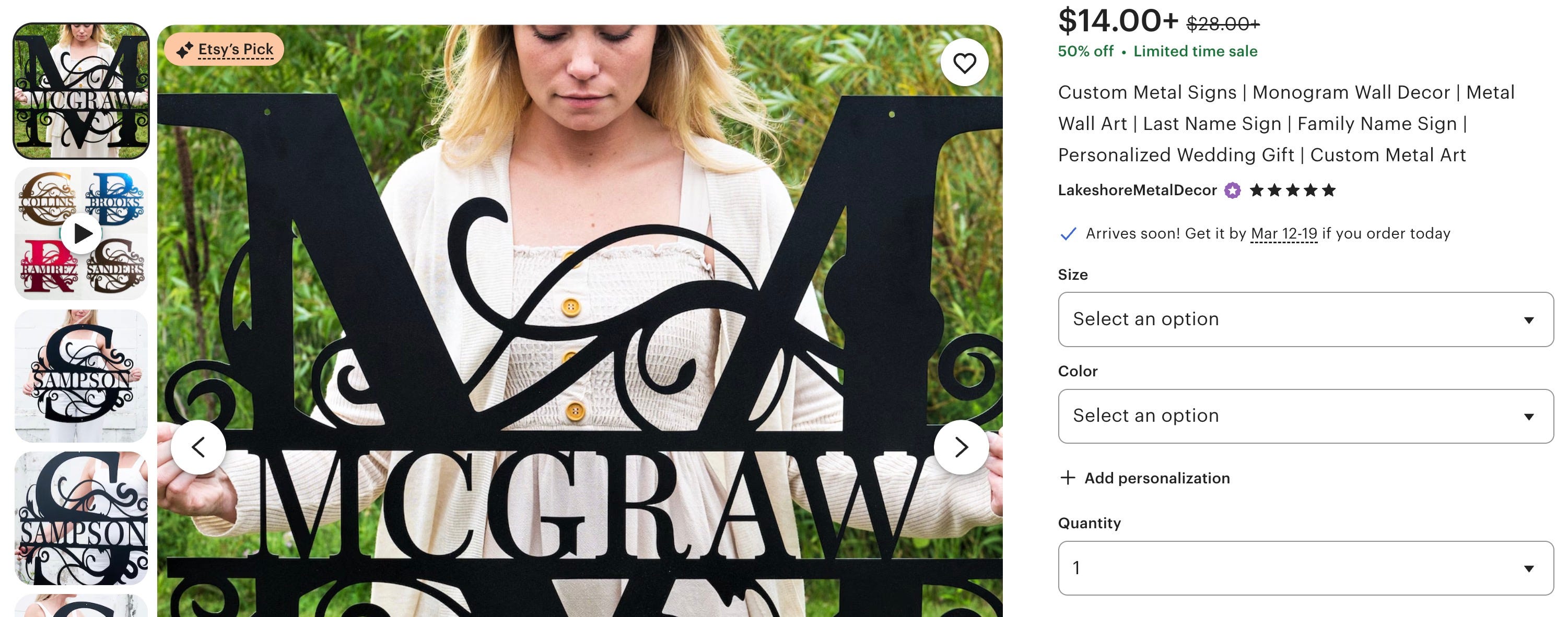
Imagine popping into your favorite online shop and seeing titles like that one above.
Worse, imagine the mess it does to your shop’s SEO integration, specifically your URL (which gets created when you publish a product listing)
Also, Google does not appreciate keyword stuffing and will rap you across the snout with a rolled up newspaper for doing it. Etsy can get away with it, because they have their internal SEO, but you cannot.
But yeah, Hasty Dave did exactly that and then had to go back through all of my products, one at a time, to change the titles and URLs. I finished many days later, and was so burned out, I didn’t want to touch my shop for a while (at least not without a stiff cocktail).
Like Geese on a Mexican Vacation…We’re Migrating
First, this post is not meant to be a play-by-play on how to move away from Etsy; Shopify has an excellent article that does a much better job of helping. Bookmark it.
Instead, I want to help by sharing what I believe are the important experience tips I didn’t receive (and you won’t find in that article) to make the transition as smooth as possible for you.
Mise en Place
If you haven’t set up your Shopify* template yet, DO THIS FIRST! I do this with any new shop I create, even without migrating products. Having things in the right place will go long distances to making your international migration easier.
Find a good tutorial on YouTube to help you get through the initial scary tech stuff. Brendan Gillen has a great tutorial walkthrough for beginners — bookmark it and watch as needed.
Add two or three product listings with images to the shop before doing anything else. Don’t worry about perfection yet; just get the items in the shop so you have a visual representation.
Create your first collection. Make it broad, generic, and representational of your items (Art, Jewelry, Pottery, Mens, Womens, Accessories, etc.). Add your products to that collection.
When customizing your homepage, focus first on two things: Featured Products and Featured Collections. Add them as “sections” to your home page and fill them with the products and collection you just created.
Look at your images first. Do you like the images aspect ratio? If not, then you can change it. Here’s some good info on how to think about image sizes.
Check your product listing. Click on one of your products and see how it looks. Take in what you believe are the important things that will migrate over from Etsy. The more you familiarize with the layout of your pages, the better this will be for you.
Altering Your Export
You’re going to export a .CSV file (spreadsheet database) from Etsy and you’re going to open it. You’re going to freak the eff out because, holy crap, that’s a lot of data… I’m scared… hold me!
Then, you’re going to pull up your big kid pants, stop shaking in fear, and wipe your eyes.
SAVE A SEPARATE VERSION OF YOUR CSV FILE - DO IT! Do not work from your original file, ever. I mean it, only work with your newly saved version. Please for the love of everything holy and natural, do not work from your source file.
Go through every one of your listing and change the title to something more human. Try to think about the random customer who knows nothing about your brand. How would they like to read your listings?
Do not worry about descriptions yet. We’re focusing on elements that will have and effect on your shop’s SEO first, and the descriptions are third in line to titles and… you guessed it, tags.
Find the TAGS column in your CSV, and this will also scare some of you, but make note of how the tags are separated (probably commas), then erase/clear out all the tags.
WARNING: Do not delete the tag column in the spreadsheet!
Fill in the now empty cell with three to five tags (comma separated? I haven’t done this in a while—double check your work). Copy and paste them across the different products listings that make sense. Change the tags as needed for your products, but keep it simple.
SAVE YOUR FILE. Do NOT save over your source file.
Import your entire livelihood into Shopify.
IMPORTANT: If you use Printify* for your print-on-demand listings in Etsy. DO NOT IMPORT those listings — delete those rows (because you were smart enough to save as a different file, right).
You can import your print-on-demand products more smoothly within Printify’s interface (which you can now do within Shopify’s interface… more to come on that). Watch this TikTok video to see what I mean.
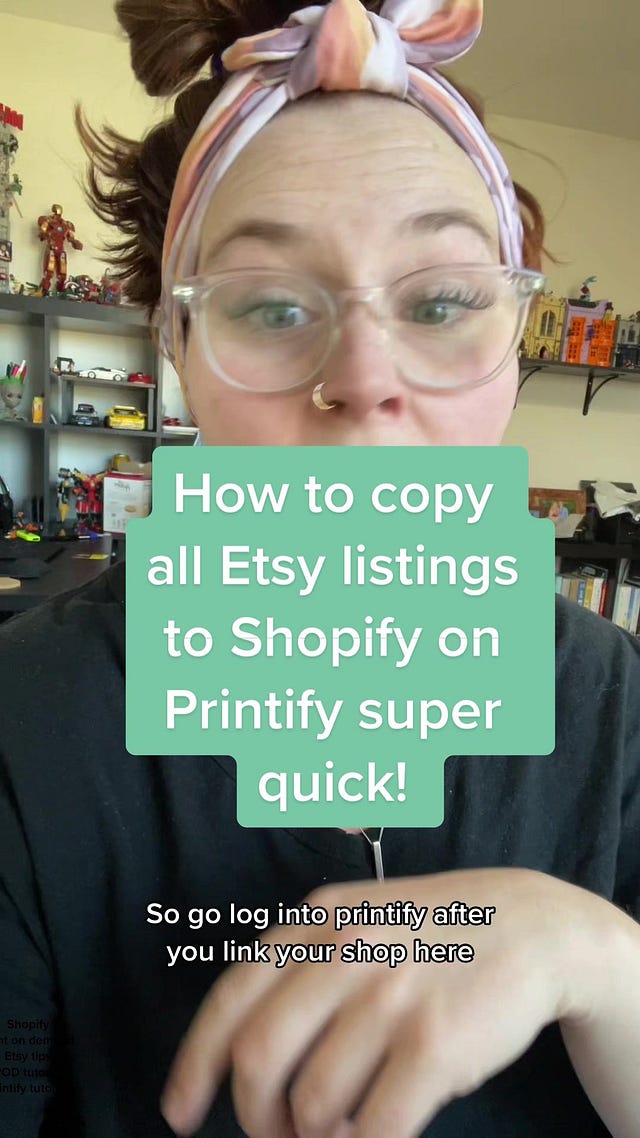
 Tiktok failed to load.
Enable 3rd party cookies or use another browser
In order to work with Printify*, you will need to integrate the app into your Shopify. This is relatively easy, and of course, here’s a video to help you. I will also talk more about the Printify/Shopify combo in the future.

I’m Building the Perfectly Imperfect Brand, and It’s Killing Me

Part of building a brand on Shopify is knowing how to represent your identity and ethos in a way that feels natural, but also gives the audience a taste of what's to come. Easier said than done.
Breathe. Meditate. Continue.
Remember that technology breaks and there might be some broken parts, but if you did this well, your SEO will be intact, and I promise you, that means a lot.
You will have to adjust images. You will want to change up your product pages. You will tweak the hell out of your home page a thousand times and still never be happy with it — trust me on this.
However, you will have gained something amazing; a sense of pride for having a big, scary, online shop that nobody can take away from you. Now you can start bringing in new customers and collecting email addresses instead of having them stolen by the large corporate marketplace.
And if you join Shopify today, you can get your first two weeks free, and the next three months for only $1 per month. That’s 90 days to experiment, play, and get yourself settled.
And if stay subbed to this Shopidaddy segment, you’ll get all the info I have inside me to help you along.
The ptsd I just had reading this 😭. I had both an etsy and shopify site for 12 years.
I only hear good things about Shopify, but it doesn't need to be either/or for Etsy, right? The Etsy marketplace of shoppers is vast and there's the potential for anyone to find what you sell (even if the site is a hot mess). Whereas, as you mentioned, you have to drive your own traffic to your Shopify website. So if you don't have an audience or followers, because your product is new, or you don't care for social media, it seems to me that *only* selling on Shopify might be foolish, and that you should definitely sell on Etsy also. What am I missing here?